
Server Info
General Information
- IP: smps.gg
- Difficulty: Hard
- Worldborders:
- Overworld: 100K x 100k
- The End:
- Nether: 12,500k x 12,500k
- Nether Roof: Allowed
- Server Location: NA-EAST United States
- Scheduled Restarts: 5PM PST / 5AM PST
Auction House
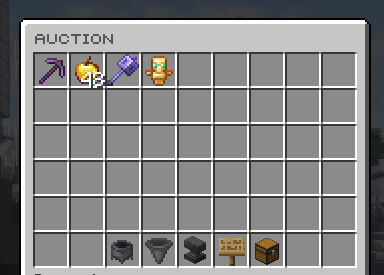
Acution House, commonly abbreviated AH, is a player marketplace on SMPS. Sellers list items for Money, and buyers purchase avaliable listings . Prices are set by players rather than by the server's base sell values.
The Auction House is part of the SMPS economy. It differs from Orders, where buyers request items, and from /sell, where eligible items are sold directly to the server.
1. Opening the Auction House
Use /ah to open the marketplace.
A search term can be supplied with /ah {search} to look for items. Check the avaliable results and the item details rather than relying only on the displayed name.
2. Buying items
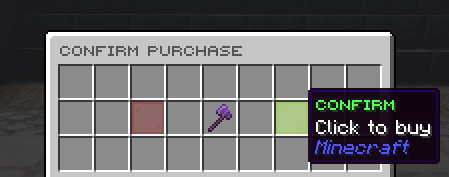
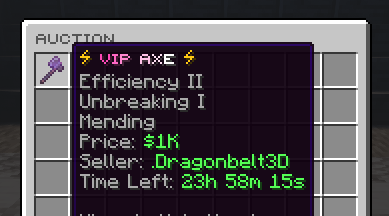
Before purchasing a listing, compare its price with other listings for equivalent items. Check the item type, quantity, enchantments and other relevant properties.
A cheaper listing is not necessarily better value if it contains fewer items or different equipment. A renamed item should not be treated as proof of its contents or properties.
The listing price is an asking price. It does not establish that previous buyers have paid that amount or that the item will sell at that price.
Orders
Orders are player-created requests to buy items on SMPS. A buyer offers Money for specified items, and other players supply those items in exchange for payment.
Orders are part of the SMPS economy. They provide a different way to trade from the Auction House: an order starts with a buyer's request, while an Auction House listing starts with a seller's item.
1. Opening Orders
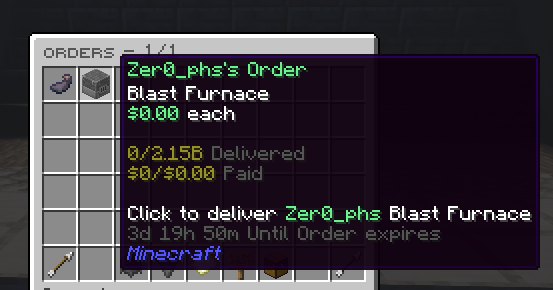
Use /orders to open the Orders menu, and /order {search} for searching orders.
Read each request before supplying items. The requested item, quantity and payment determine whether an order is useful for a particular trade.
2. How it works
Buyers
A buyer specifies what they want to obtain and the payment they are willing to offer. Other players decide whether to supply the request. Offering money does not guarantee that somebody will fulfill an order immediately.
Orders can be useful when collecting materials for a large build or farm. The buyer can request resources rather than purchasing many separate Auction House listings.
Suppliers
A supplier provides items requested by another player and receives the offered payment. Resources obtained through Farming or other gameplay can therefore be sold to players who need them.
Before supplying an order, compare the offered payment with other available orders, equivalent Auction House listings and the server's sell value where applicable. Check item requirements rather than assuming that all items with similar names are interchangeable.
Teams
1. Creating and joining
/team create [name]- create a team./team disband- delete a team./team invite [username]- invite a player (requires invite permissions)/team join [inviter]- join a team you were invited to.
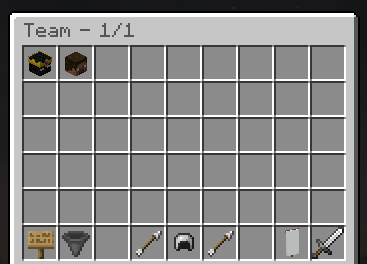
2. Team home
/team sethome sets a shared home accessible to members with permission; /team home (or the leftmost slot in /home) teleported there.

3. Team chat
/team chat toggled team-only chat mode (public chat hidden); /team chat [message] sends a single message to the team without toggling the mode.

4. Permissions
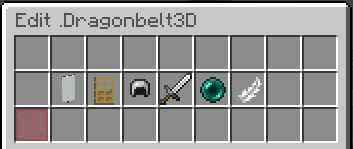
Team owners can grant members the ability to invite and kick, teleport to team home, configure team home, and use team chat. By default members can only use team chat; the creator holds all permissions.
Commands
/msg: Sends a private message to another player.
/msgtoggle: Toggles the ability to receive private messages on or off.
/r: Responds to the last person who messaged you.
/discordsrv link: Links your game account to your Discord account.
/info: Provides a guide for using the server.
/store: Open the official SMPS online store.
/kits: Open the kits menu to claim a starter kit.
/team: Commands related to forming or managing a team.
/bounty: Set a bounty to a specific player.
/bounties: Look at the list of bounties.
/invest: Open the investment GUI.
/warp: View all warps and teleport to a specific warp.
/settings: Change certain settings based on your preferences.
/spawn: Teleports you to the server's spawn location.
/report: Reports a player to our trusted staff team.
/rpt: Randomly teleports you to a location within the server.
/auction: Open the auction house GUI.
/shop: Open the in-game shop.
/leaderboards: Opens the menu for all leaderboards on the server.
/afk: Teleport to a AFK zone at spawn.
/discord: Provides a link to the SMPS Discord.
/balance: Check your bank balance.
/duel: Send a duel request to a specific player.
/billford: Open the billford GUI.
/order: Open the orders GUI.
/playtime: Check your in-game playtime.
/ignore: Ignores messages from a specific player.
/unignore: Removes a player from your ignore list, allowing you to see their messages again.
/worth: Check the worth GUI to find the value of a sell item.
/sell: Sell an item using the GUI.
/pay: Send money to a specific user.
/tpa: Sends a teleport request to another player.
/tpaccept: Accepts a teleport request from another player.
/tpahere: Requests another player to teleport to your location.
/tpacancel: Cancels a teleport request you have made.
/homes: Open the homes GUI menu to teleport your sethome.
/sethome: Sets a home location that you can teleport back to.
/delhome: Deletes a previously set home location.
/vote: See all of the links to vote for the server.
/votetotal: Shows the total number of votes you have.